
A clearer way to manage repairs
Repairs, without the runaround.
Request repair help, share what matters, and follow the journey with confidence.
From uncertain
to understood.
Describe what needs attention.Capture the category, details, location and helpful photos in one guided request.
Choose the quote that suits you.Compare the scope, availability and price information you need to choose with confidence.
Stay in the loop from start to finish.Follow confirmed progress as your repair is carried out, without needing to chase for updates.
A wide range of repairs, covered clearly.
RepairMe is designed to support the most common household and property repair categories — from urgent fixes to scheduled maintenance.
A repair should stay clear from request to record.
RepairMe is designed to help a customer understand what happens before, during and after a repair — not just at the moment they ask for help.
Tell us what needs attention
Choose a category, explain the issue, add helpful photos and select the repair location.
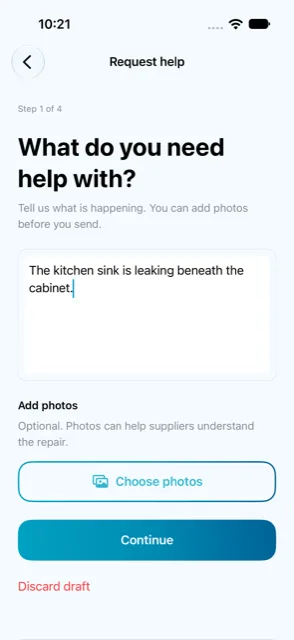
Send a request with confidence
Before it is sent, the customer can review the important information in one clear summary.
Know when the request is progressing
The customer sees when their request is ready for service providers to review.
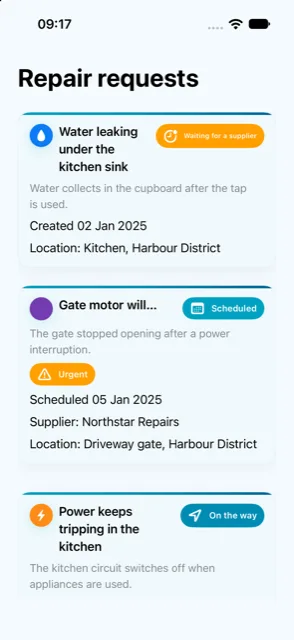
Track the active repair
Appointment, arrival and repair updates are shown as confirmed progress — not vague promises.
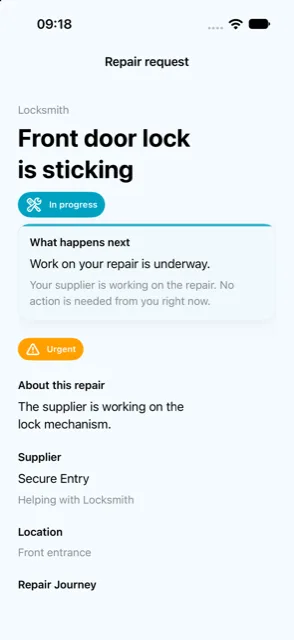
Keep a useful repair record
Once work is complete, the customer can return to the repair history when they need it.
Good work deserves
better opportunities.
RepairMe is building a clearer marketplace for capable local professionals.Better context, more considered responses and trust that grows through good work.
Useful context. Professional responses. Clear progress.
Service providers should see enough detail to decide whether a request is right for them, then keep the customer informed once work begins.
See a clear opportunity
Relevant work arrives with the category, location area, problem summary and helpful photos.
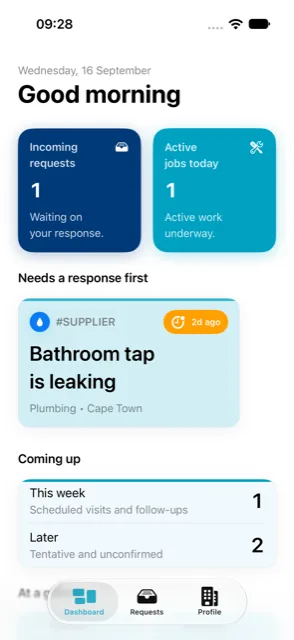
Decide whether it is a fit
Useful request context helps a professional make a considered decision before responding.
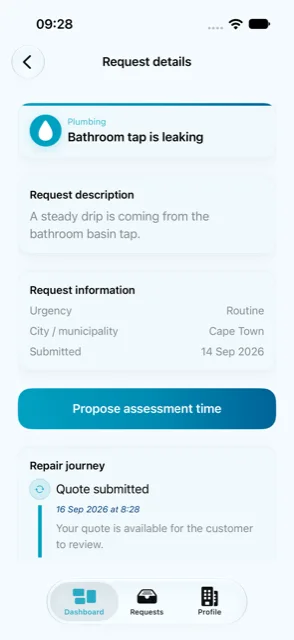
Prepare a clear response
Set availability, scope and the information a customer needs to make an informed choice.
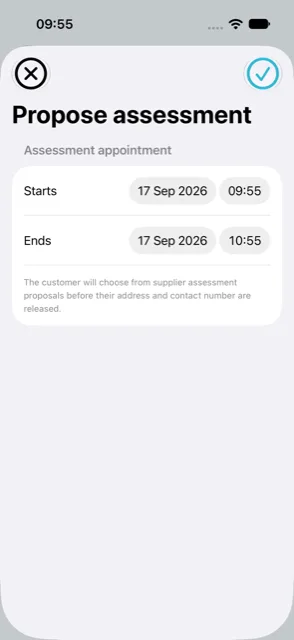
Keep the repair moving
Share confirmed updates and create a clear record of completed work.
A connected platform. Clarity as the standard.
Request help, manage useful details and follow progress.
Review relevant work and respond with clearer information.
Clear records.Important repair information should be easy to find and understand. RepairMe keeps request details, updates and outcomes in one place.
Privacy-aware by design.RepairMe is built to collect only what a repair journey needs, with clear consent at every step.
Human support.There should always be a clear route to help when someone needs it — a direct way to reach a person, not just an automated response.
Help shape a better way to get repairs done.
Early registration opens soon. This does not create a RepairMe account.
Managing repairs for a business or property? Get in touch — we would like to hear from you.